
Read Less. Hatch More.
Save Time.
NutEgg is an AI reading companion that lives in Chrome's side panel. Get instant verdicts, summaries, mind maps, and timestamped video Q&A for any article, thread, or YouTube video—using your own AI model, with no account required.

 Use Obsidian? Add the optional plugin to grow a personal knowledge vault →
Designed for Information Clarity
Turn bloated web content into structured, actionable knowledge.
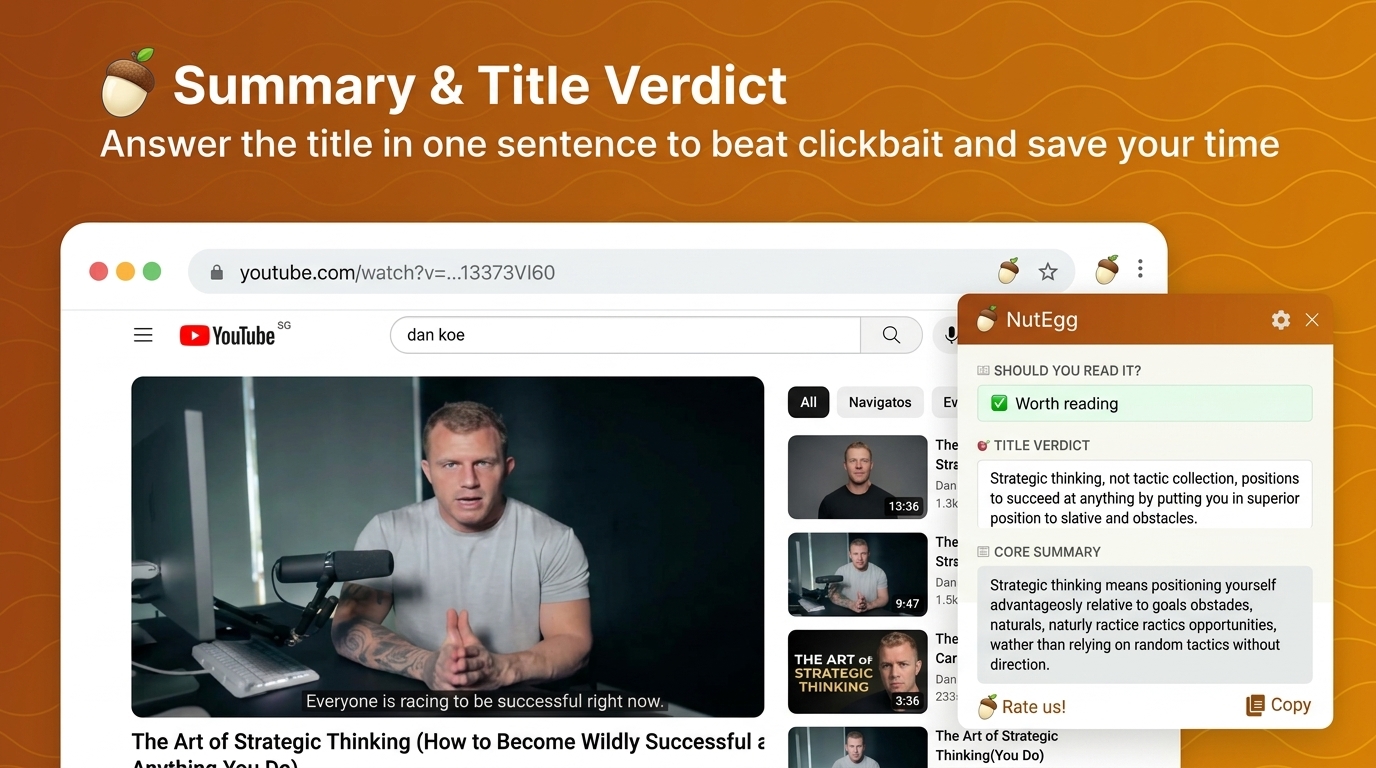
Instant Summary & Title Verdict
NutEgg cuts straight to the point: it answers the headline's core question in one punchy sentence and tells you honestly whether the video or article is worth your time.
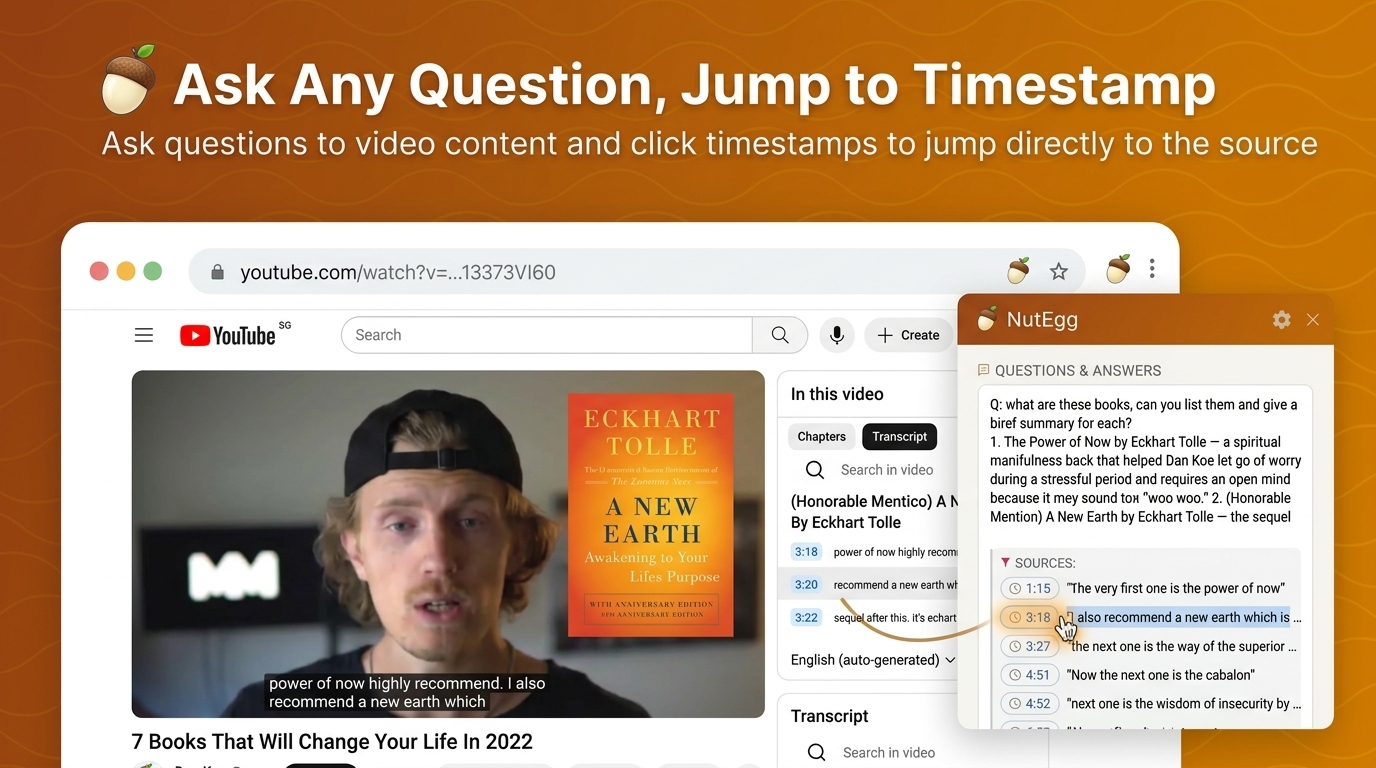
Ask Any Question & Jump to Timestamp
Ask free-form questions about video content and get cited answers with clickable timestamp pills that jump directly to the exact moment in the video playback.
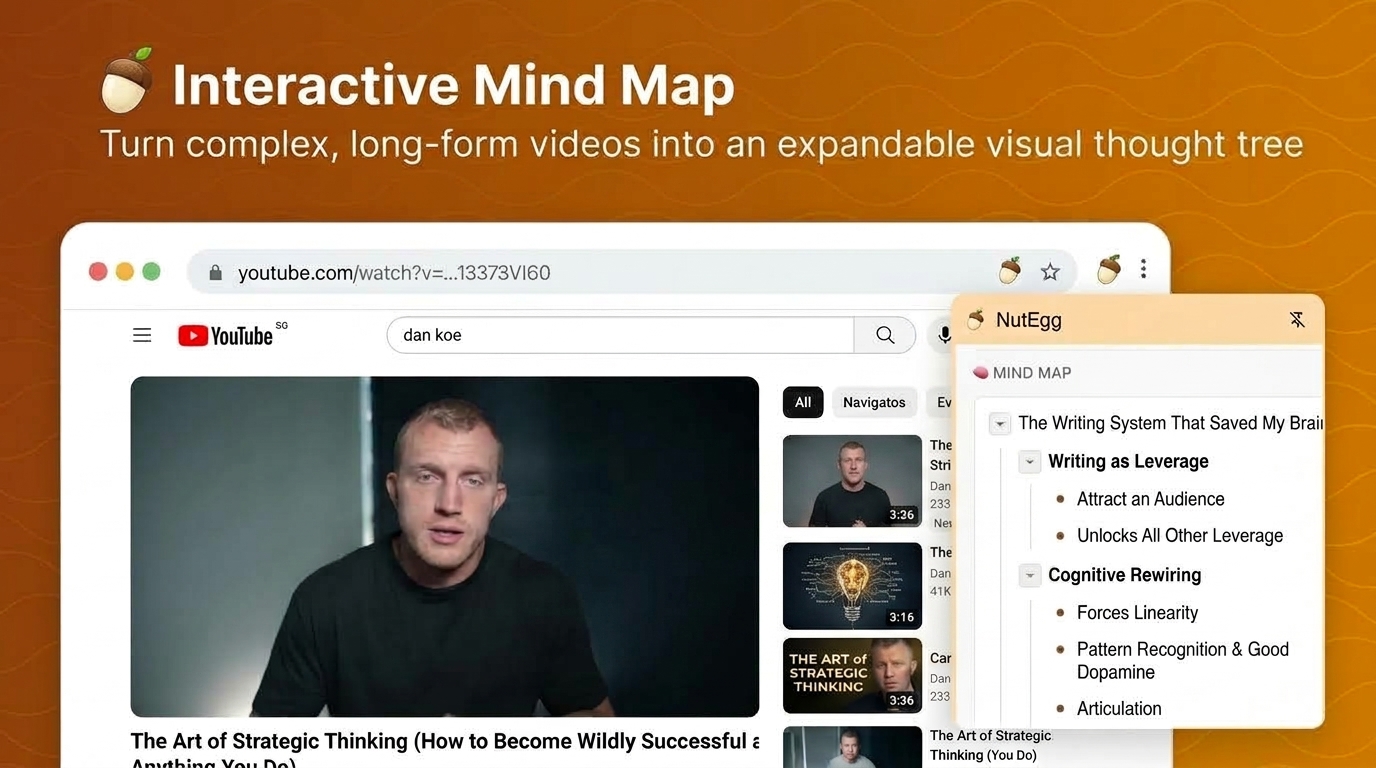
Interactive Thought Trees
Turn hour-long videos and complex articles into collapsible, multi-tier mind maps. Expand key takeaways and visualize idea relationships in seconds.
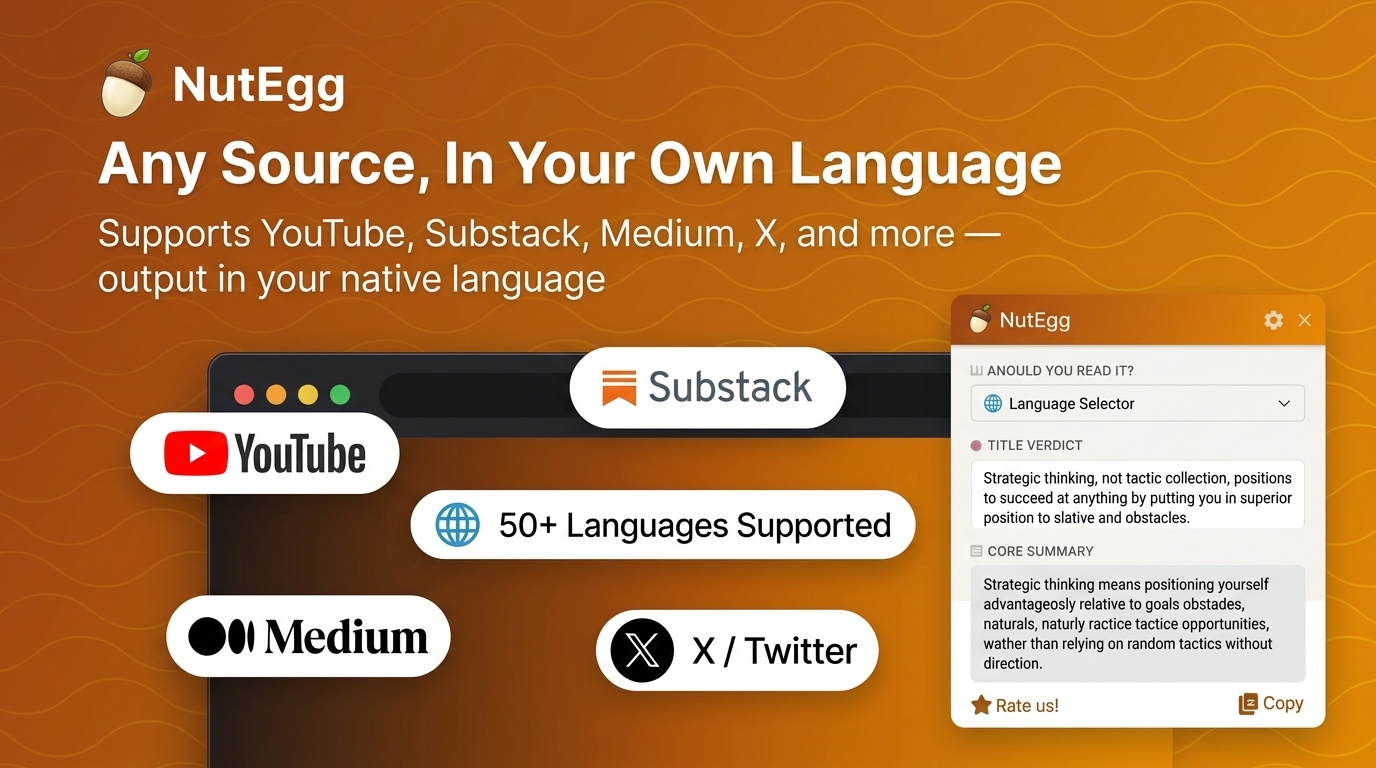
Any Platform, In Your Native Language
Extract with full fidelity from YouTube transcripts, Substack newsletters, Medium blogs, and X (Twitter) threads. Summarize and translate into 50+ languages on the fly.
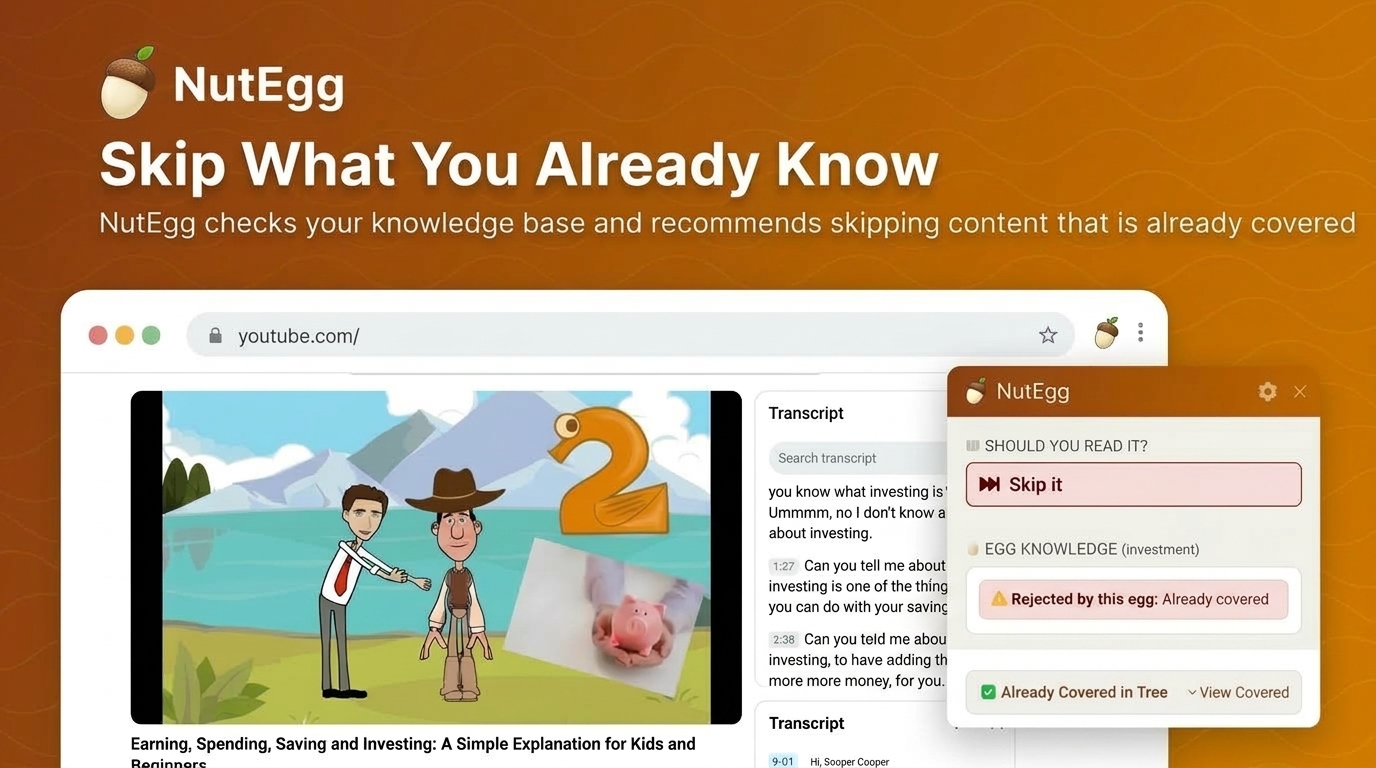
Skip What You Already Know
NutEgg checks incoming content against your Obsidian vault knowledge base and alerts you when ideas are already covered—saving you 15 to 30 minutes per video.
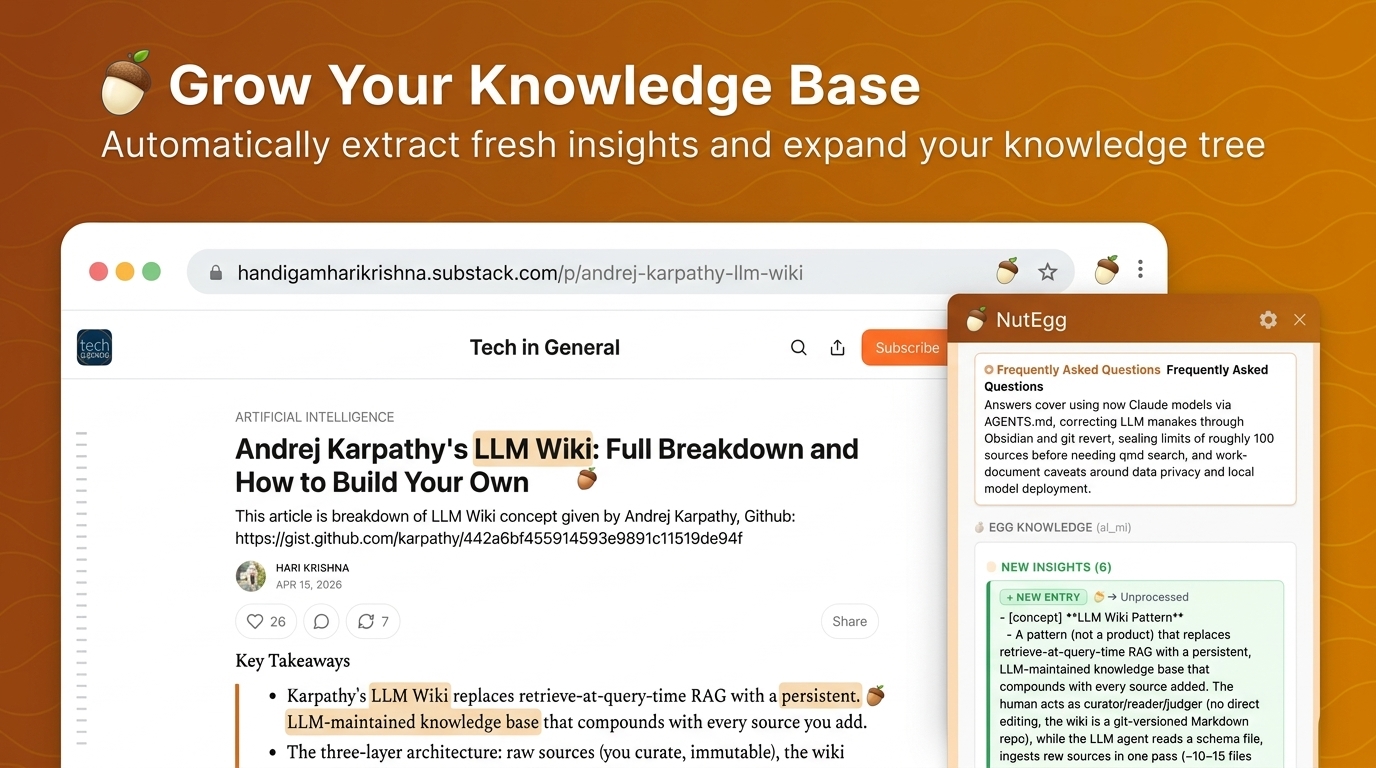
Automatically Grow Your Obsidian Vault
Isolates the novel deltas from your browsing and weaves them directly under the right branches of your existing Obsidian egg files without manual note formatting.
How It Works
From any webpage to clear answers in seconds—right inside Chrome.
Add NutEgg to Chrome
Install it from the Chrome Web Store, then pick your AI in Options—Gemini, Claude, OpenAI, DeepSeek, or a local model. No sign-up needed.
Open the Side Panel on Any Page
Click the extension icon. NutEgg automatically grabs the article text, X thread, or YouTube transcript from the active tab.
Get the Verdict in Seconds
See a direct 1-sentence answer to the title's hook, a short executive summary, a collapsible mind map, and an honest "Is it worth your time?" verdict.
Ask, Explore, Jump
Ask follow-up questions grounded in the page—or beyond it for fact-checking—and click any citation to jump to the exact video moment or paragraph.
Built for Information Clarity
Everything you need to beat digital overload and stop bookmark hoarding.
Anti-Clickbait Verdicts
Cuts through clickbait titles immediately by answering the headline's core question upfront so you don't waste 15 minutes finding it.
Mind Maps with Clickable Timestamps
Extracts full YouTube transcripts and creates mind maps with clickable timestamps that jump to the exact moment in video playback.
Video Q&A & Timestamp Jumping
Ask free-form questions about video content and receive cited answers with interactive timestamp pills that jump directly to the exact moment in video playback.
Within or Beyond the Page
Keep answers strictly grounded in the content, or let the AI reach beyond it to fact-check claims and add missing context.
Comment Section Digest
Summarizes YouTube, Reddit, and forum comments into key topics with agree/disagree stance badges, so you get the crowd's take at a glance.
Click-to-Source Navigation
Mind-map nodes and answers link back to their source—click to scroll the live page to the exact paragraph or comment.
Bring Your Own Model
Run completely offline with Local LLMs (Ollama, LM Studio, llama.cpp), or connect to Gemini, Claude, OpenAI, DeepSeek, Kimi, Qwen, or OpenRouter.
Private by Design
No NutEgg account and no NutEgg servers. Your API key stays in your browser, and page content goes only to the AI provider you choose.
Optional Add-on
Use Obsidian? Let NutEgg Grow Your Vault
Everything above works on its own in Chrome. Pair NutEgg with its free Obsidian plugin to turn what you read into an evolving, structured knowledge base.
The Metaphor: Nuts & Eggs
Novelty-First AI Analysis
Prevents redundant notes. Compares content against your existing knowledge and highlights only what's new and genuinely insightful.
One-Click Hatch or Collect
Weave fresh insights into the matching knowledge tree, or archive the raw content as Markdown in your vault for later.
Auto-Merge Knowledge Trees
Accumulated raw insights are automatically structured and synthesized into clean branch hierarchies once threshold counts are reached.
What You Should Not Expect
Honest boundaries on where NutEgg excels and what it is not designed for.
- No magic buttons: You won't get smarter just by clicking a button. Truly mastering knowledge still requires active reading, critical thinking, and deliberate practice.
- Built for fluff & clickbait, not deep textbooks: NutEgg shines at saving time on bloated videos, repetitive posts, and AI-inflated articles. It is not intended for processing comprehensive textbooks or full online courses into instant expertise.
- Not tailored for entertainment: NutEgg is built for density and insight extraction, not for summarizing comedy, films, or entertainment videos.
- Work in progress: Support for podcasts, PDF files, and additional specialized extractors is actively under development.
Start Reading Smarter Today
Take back your reading time in seconds. Add NutEgg to Chrome—and connect Obsidian whenever you're ready.